
Cricket Team Manager
Your country.
Your XI.
Your call.
Take the reins of an international side. Pick the squad, make the tactical calls and build a career across Tests, ODIs and T20s.
Choose “Download Demo” on the Steam page to try it for free.
Visit the game’s website (opens in a new tab)
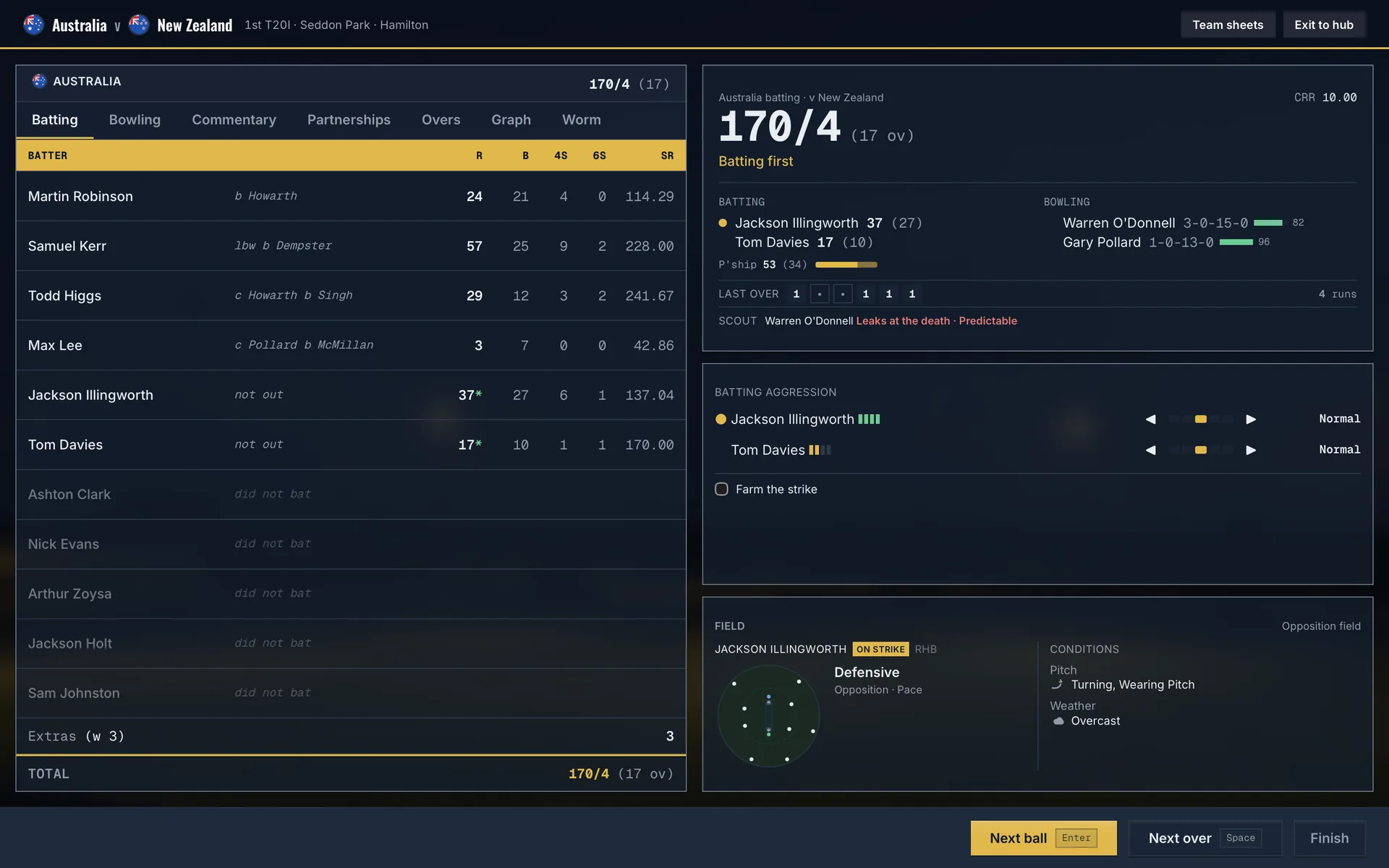
Inside the game · Every over is your decision.
Lead your nation
12 international sides to choose from
Build your squad
Nearly 5,000 players in the database
Make the big calls
Ball-by-ball tactics and match control
About the game
Build a side.
Build a legacy.
Manage one of 12 international teams through a career of selection calls, changing conditions and major tournaments. The next promising domestic player could become the cornerstone of your side.
Explore the full game on SteamA calendar with something at stake
Take on overseas tours, World Cups and the Test Championship across all three international formats.
Selection is only the beginning
Award central contracts, name your captains and train players while balancing fitness and injuries.
Tactics that change with the match
Adjust batting aggression, fields and bowling lengths. Watch the pitch and weather as you play ball by ball or over by over.
Follow the next generation
Scout domestic performances, track players on your watchlist and develop your squad as established names retire and newcomers emerge.
Inside Cricket Team Manager
See the game. Make your plans.
From your first team selection to the final over, take a closer look at the screens you’ll spend your career in.
8 screenshots · click to enlarge
Your international career
Keep your nation’s next match and key decisions in view.
Pick the XI for the conditions
Compare your options and choose the side you want to take onto the field.
Take control, ball by ball
Follow the scorecard while adjusting your tactics as the match unfolds.
Look beyond the averages
Explore player records to inform your next selection.
Plan the season ahead
See the tours and fixtures waiting for your side.
Develop your squad
Set training priorities for the players you are investing in.
Follow the Test title race
Track the championship table as your career progresses.
Make the database your own
Edit player details and use community patches before starting a new career.
Official gameplay screenshots © LSL Ventures Pty Ltd. Reproduced under the press kit’s coverage terms (opens in a new tab). Example careers shown; names and results may differ in your game.
Community downloads
A new career. Familiar names.
Get the real name list, then follow the quick setup guide below.
Real names list
Bring familiar player names into your next Cricket Team Manager career.
- File
- names_update.tsv
- Size
- 392 KB · TSV patch
- For
- Cricket Team Manager
Free CC Scout account required. No paid membership needed.
Saves as 20-real-names.tsv for the recommended patch order.
New careers only. Existing saves keep their original database and player names.
Get set up in four steps
Download the names file
Log in or create a free CC Scout account, then use the download button. Keep the file as 20-real-names.tsv. No need to open or convert it.
Put it in the game’s patches folder
Copy the TSV file into the folder for your system. If the patches folder is missing, create it at the location below.
Windows · File Explorer address bar
%APPDATA%\com.lslventures.cricketteammanager\patches\Mac · Finder → Go → Go to Folder
~/Library/Application Support/com.lslventures.cricketteammanager/patches/Keep your own 99-my-edits.tsv file. The numbered names patch loads before it, so your personal edits can still take priority.
Fully quit and restart the game
Patches load when the game starts. If it is open, quit completely and relaunch. On Mac, closing the window alone does not quit the app.
Start a new career
Create a new career and check the player names. The patch will not change a career you have already started.
Names still unchanged?
Check that the file ends in .tsv, is inside the patches folder, and that you fully restarted before creating a new career. Your own editor changes can override the names patch. The official guide (opens in a new tab) covers patch conflicts and troubleshooting.
Cricket Team Manager is developed by LSL Ventures. Game artwork and screenshots belong to their respective owners. This is an independent CC Scout community resource.